 Liminal
Capture. Annotate.
Pin.
Everything you screenshot stays at your fingertips. A quiet utility for macOS that floats above your desktop.
See it in action
Capture
Select any region with pixel-perfect precision
Annotate
Mark up with arrows, shapes, text, and blur
Pin
Float screenshots as always-on-top references
Straight from the app
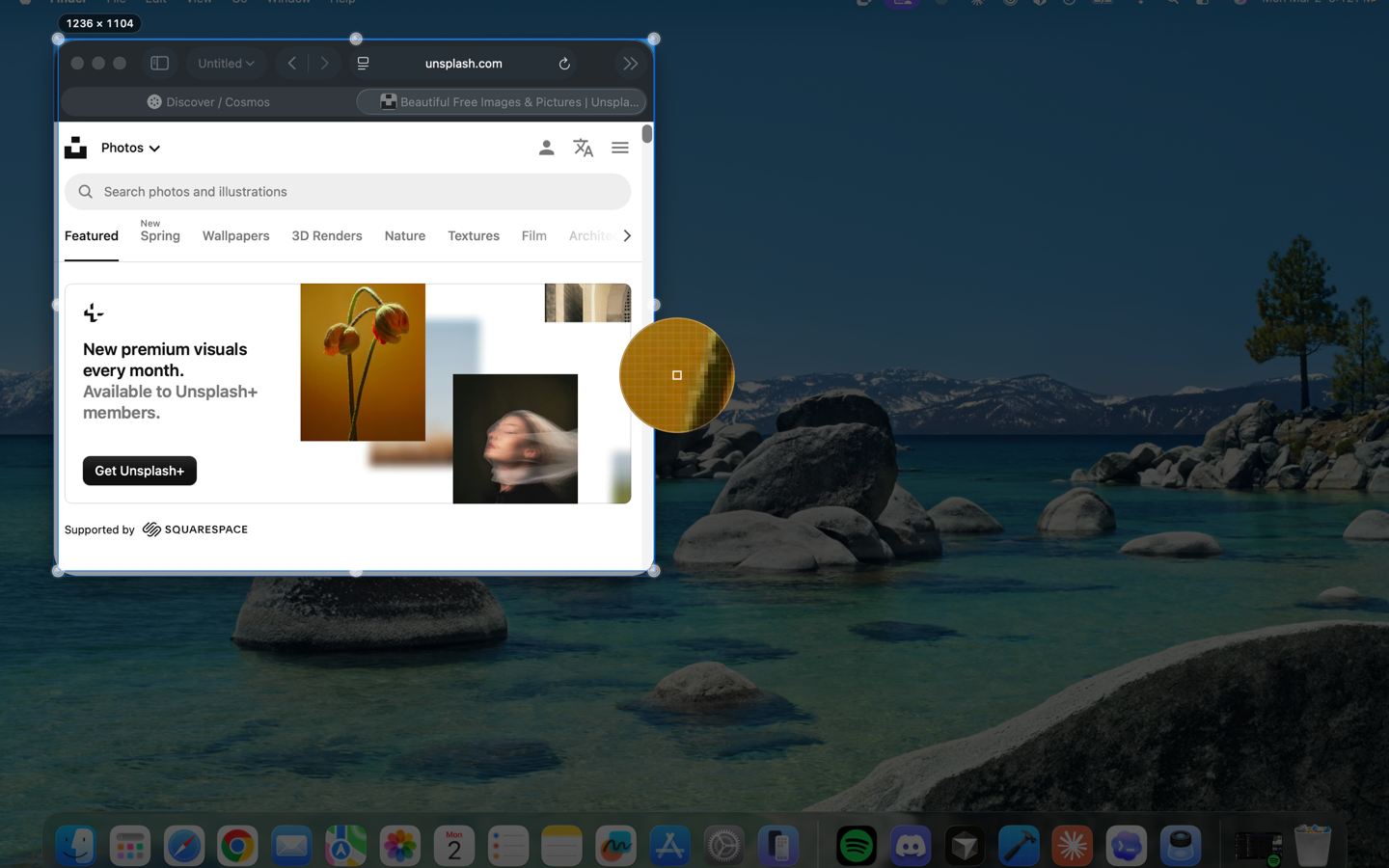
Select
The screen freezes while you capture — grab exactly the pixels you want
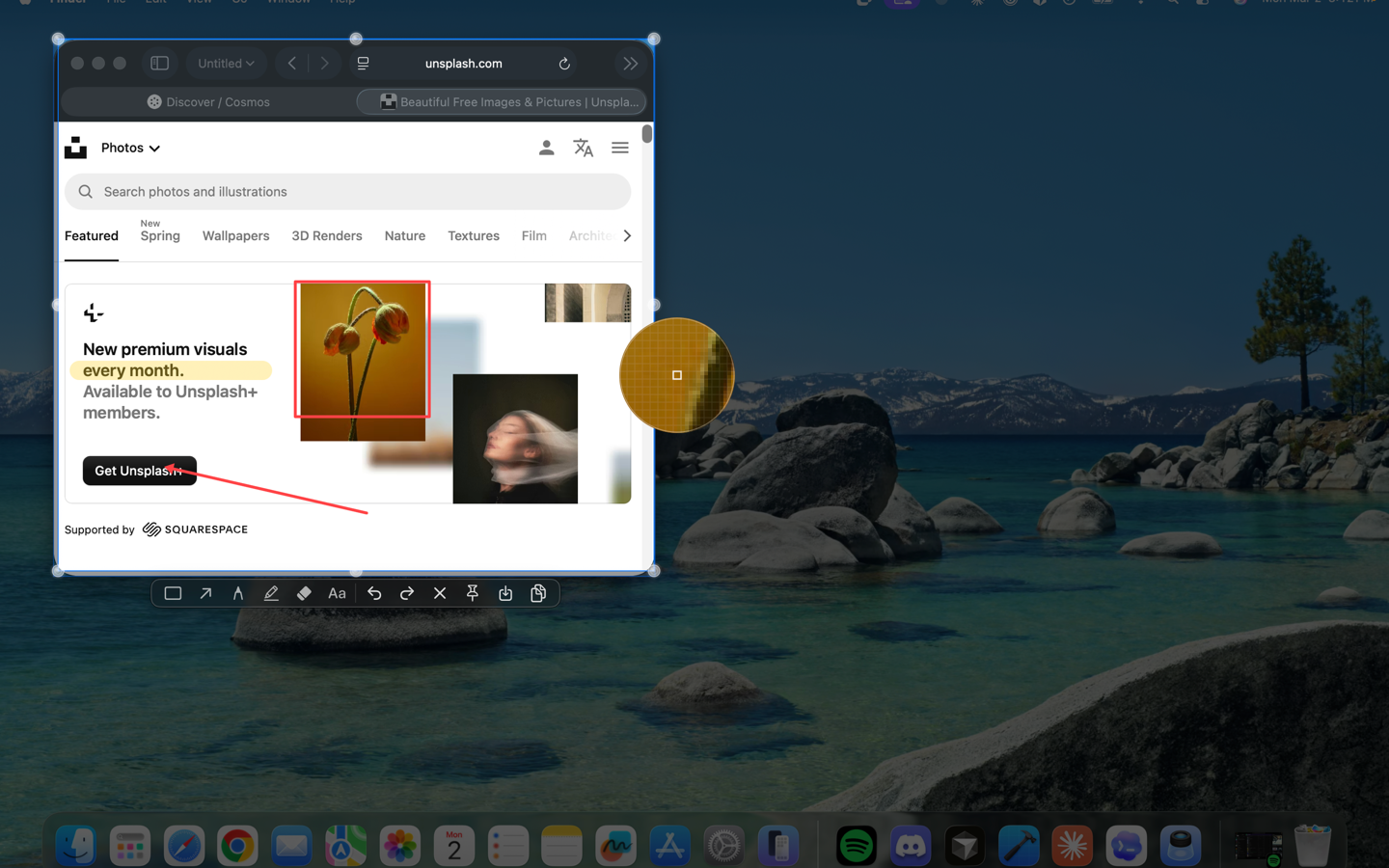
Annotate
Mark up with shapes, arrows, highlights, and text
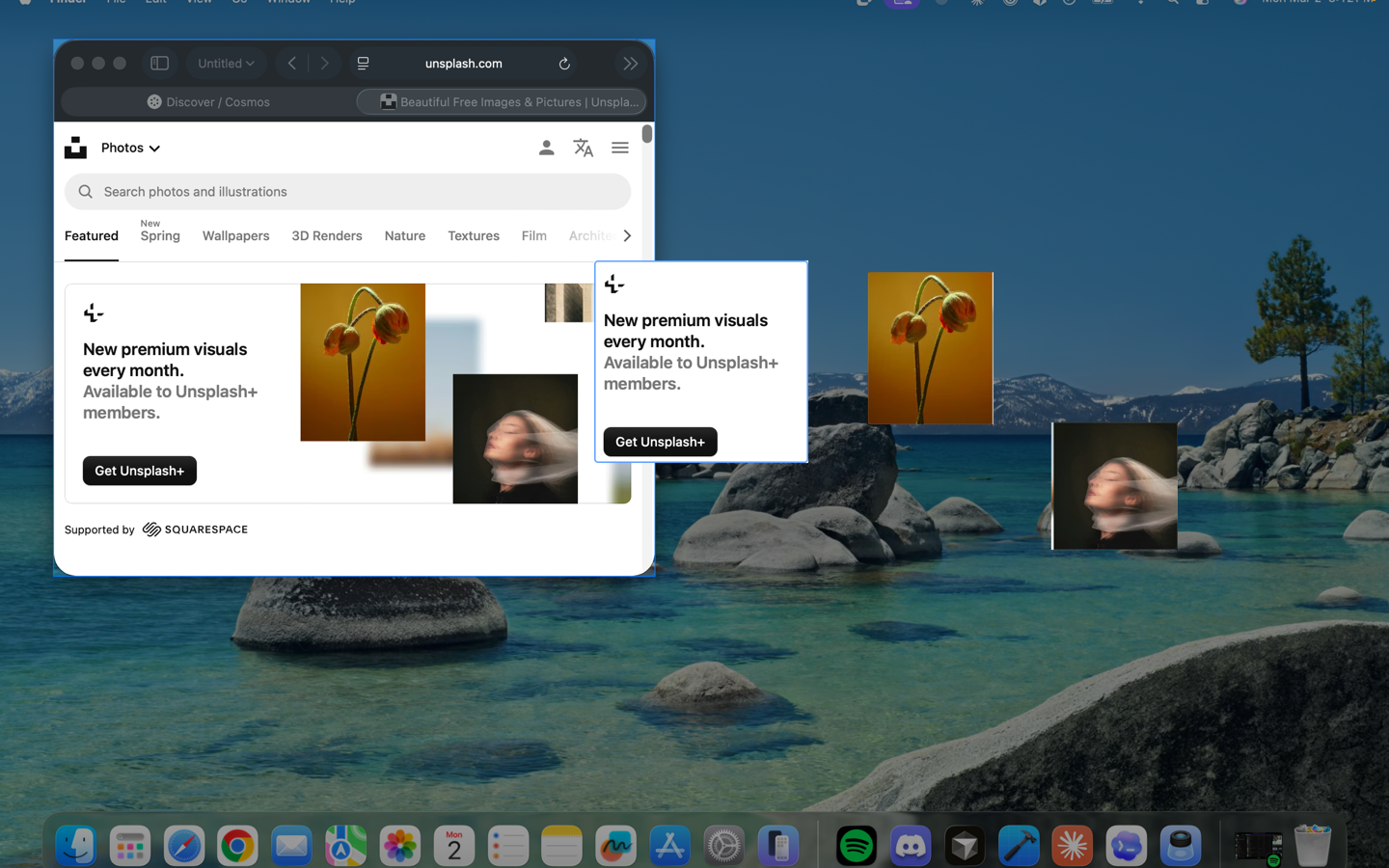
Pin
Float any capture as an always-on-top reference
Built for how you work
One app instead of four. Capture, annotate, and reference — without leaving your flow.
Precision capture
Multi-monitor support, window detection, 8x zoom magnifier, and live color readout.
Annotate in place
Shapes, arrows, text, blur, and mosaic. Full undo stack. Mark up before you copy.
Pin to screen
Float screenshots as always-on-top references. Resize, adjust opacity, or click through.
Paste anything
Images, text, HTML, or colors from your clipboard — paste as floating pins instantly.
Keyboard-first
Every action has a shortcut. Stay in your flow.
Private by design. No cloud, no analytics, no telemetry.
Native by conviction. Built with AppKit, not Electron.
Download Liminal
Free on the Mac App Store. Requires macOS 14 Sonoma or later.